I've been using DigitalOcean's servers for three months now, and it feels pretty good. However, when I bought a server initially, I didn't really consider the configuration and region, so the server was located in New York (NYC1 Region + 1 Intel CPU + 2GB RAM + 50GB Storage).

Instance List
After using it, I realized:
- The CPU isn't enough
- Storage space is insufficient
- Storage speed is lacking (although it's SSD)
- Latency is too high
So I wondered if I could change regions to solve these issues. After a quick Bing search, it seemed that the San Francisco area had good overall performance. So, let's get started!
Migration
Preparations
There are two options for migration:
- Create a system image on DigitalOcean's panel (around 40GB), then restore it to the target server.
- Use 1Panel to create an image (around 2.3GB), then restore it on the target server.
After evaluating, I decided to go with the second option, though it turned out to be a real pain.
Full Process
Purchase a New Server
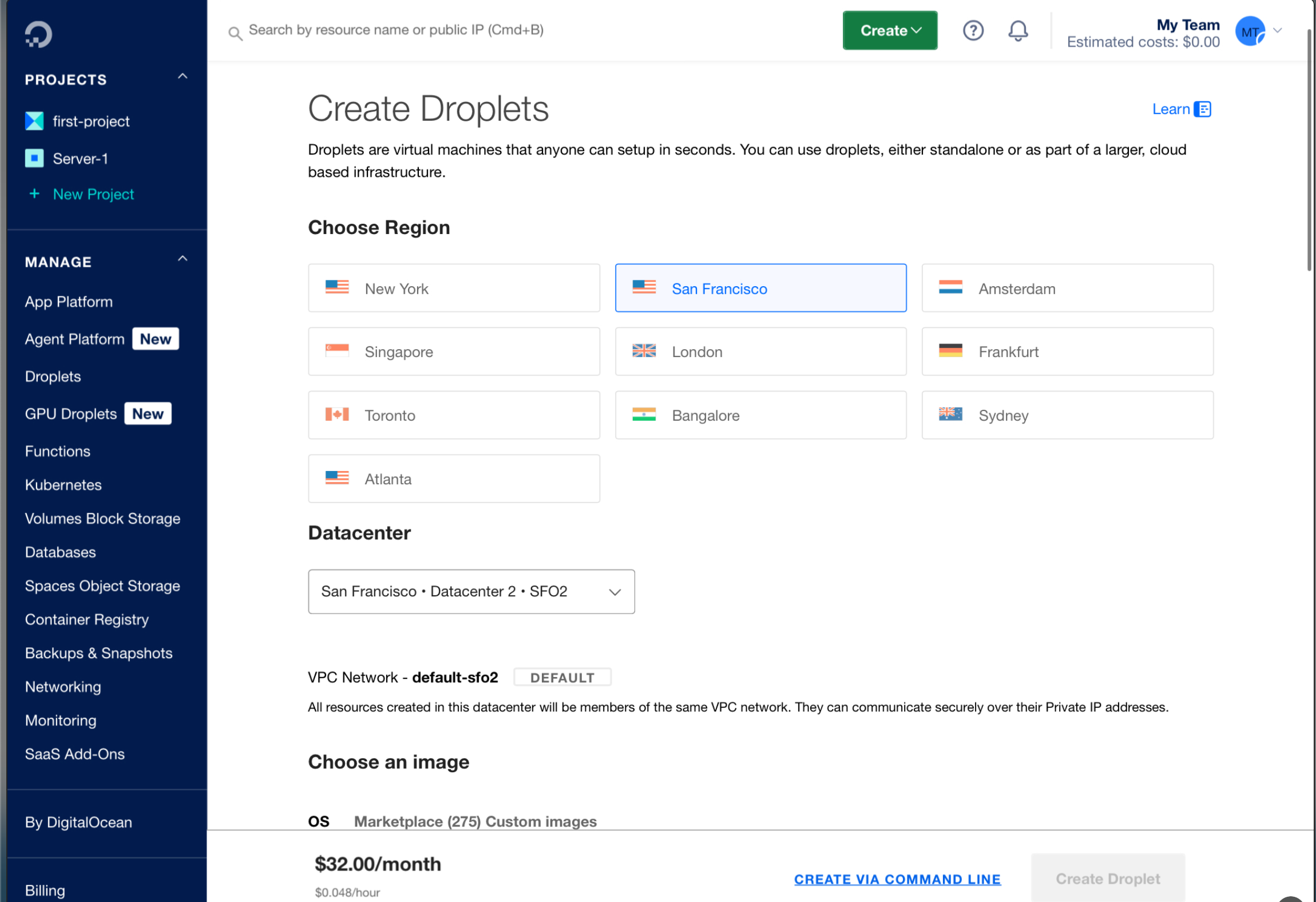
Purchase Interface One
Purchase Interface Two
I finally chose a 2 AMD CPU + 2GB RAM + 60GB NVME SSD configuration. It’s good enough, but considering the credits in my GitHub student pack, I'll need to migrate to Tencent Cloud in January (and that’s another new pitfall, sigh).
Then we got a fresh ubuntu-24-lts server:
The one above is the new server
Create the Image
Go to the 1Panel panel of my old server to create a system image!
IMG_6926
Meanwhile, SSH into the new server and deploy the great 1 Panel!
IMG_6924
Restore the Image
Here, a lot of issues occurred, and I almost gave up. For example, when trying to download the image from Tencent Cloud's COS, I got a 400 error saying the file doesn’t exist?
I had no choice but to manually copy the system image.
What? Manual? That's impossible, right? How could they make me first download it to my computer and then upload it?
Why not use DO's much-praised ~2000M bandwidth (of course, it doesn't reach that in China)?
It’s simple, create a website, upload the image file to the root directory of the site, then on the target machine, use wget to download from the /opt/1panel/backup/system_snapshot directory.
Downloading
Then, you can proceed with the restoration.
Other Tasks
Docker Applications Not Installed by 1Panel
I still had Openpanel and Mix-Space running on the server. The former just required copying the Docker volume to the target machine, while the latter comes with an export backup feature.
DNS Modification
Definitely needed. Go to the DNS provider and change the IP, waiting for it to propagate across regions.
Remove the Original Server
I recommend waiting for two or three days to ensure everything is working fine before removing the original server (though I migrated in the morning and deleted it in the afternoon).
Conclusion
I hope this tutorial helps future you.